The SSH client
your Mac was missing.
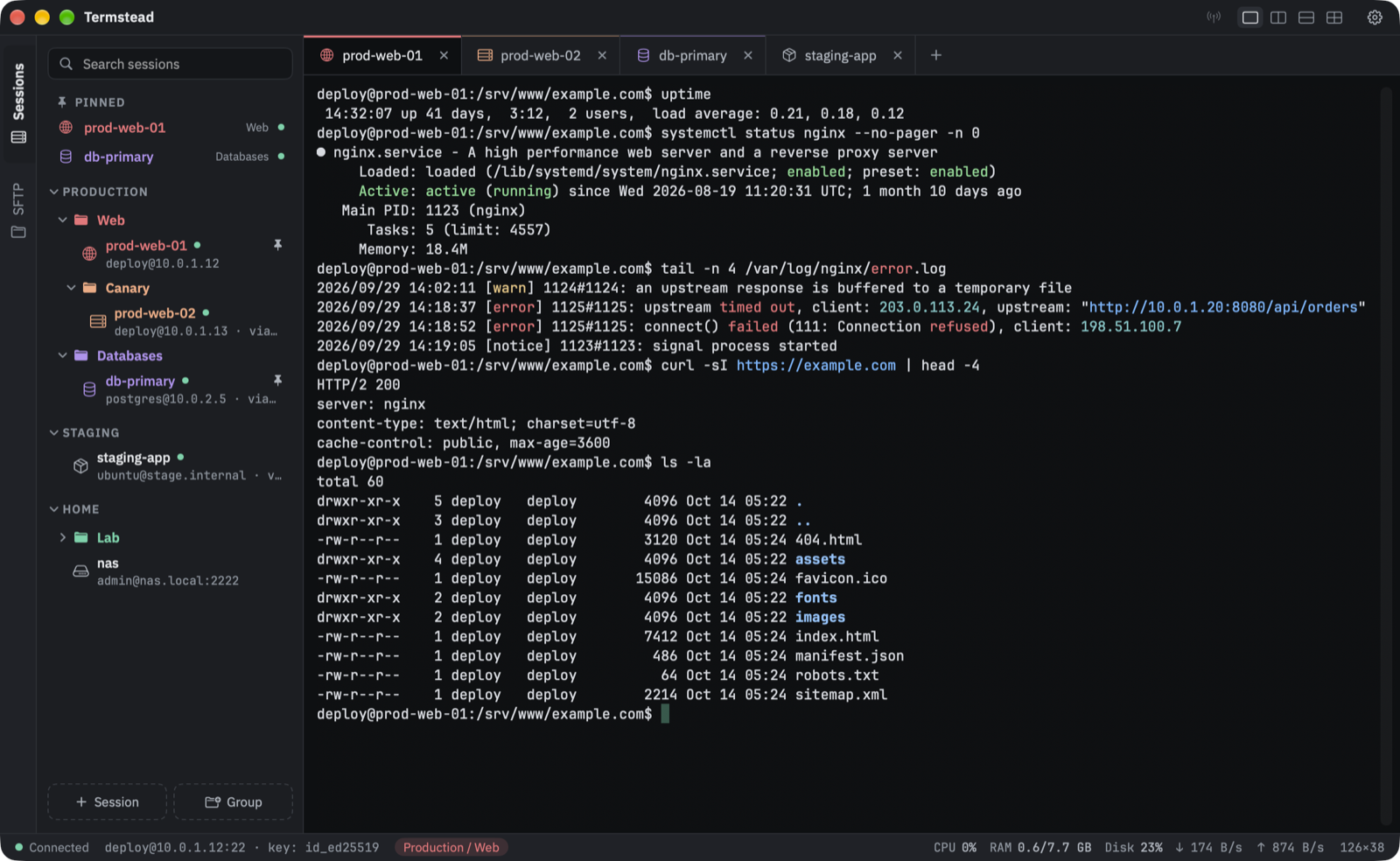
Sessions in a tree, jump hosts, split panes, SFTP right beside the terminal and passwords in the macOS Keychain — the way of working you know from MobaXterm, as a real Mac app.
brew install --cask pkhorenyan/tap/termstead
macOS 14 Sonoma or later · Apple silicon & Intel · Signed and notarized
Features
Made for people who keep a lot of servers in their head.
Everything sits one click away, and nothing gets between you and the shell.
Sessions in a tree
Groups and subgroups, colors the sessions inside take on, an icon per session, pinned favorites and instant search. Drag and drop to reorder, or walk the tree with the arrow keys and press Return.
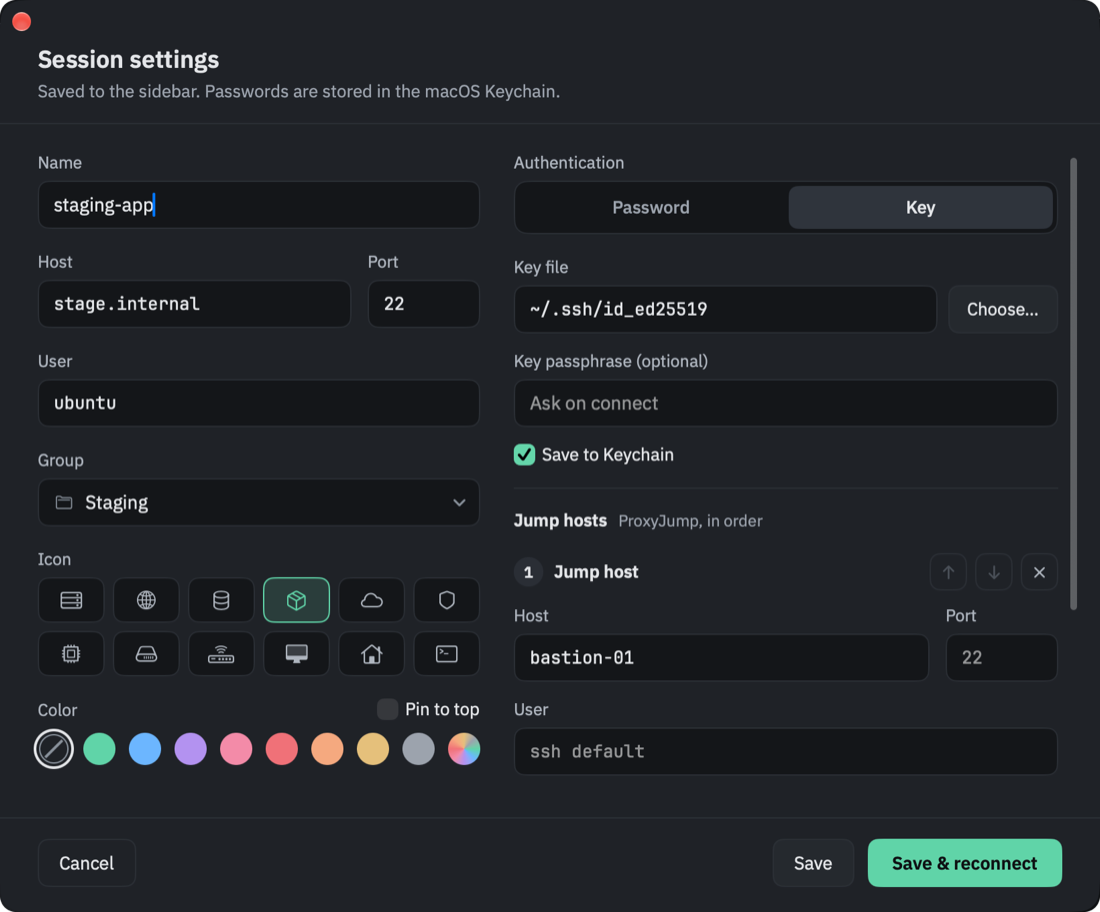
Jump hosts, chained
As many hops as the network needs, each with its own user, key or password — or a saved session as the hop.
Secrets in the Keychain
Passwords and key passphrases are typed for you when ssh asks — a password only for the host it was saved for.
Tabs you can arrange
Every tab carries its session’s icon in its group’s color. Drag tabs into any order, step through them with ⇧⌘[ and ⇧⌘], and right-click one to reconnect, duplicate or close the rest.
SFTP beside the terminal
Over the connection that’s already open — no second login. Drag files in and out, edit remote files in any Mac app.
Split into panes
Two side by side, two stacked, or four — each pane with its own tabs. Broadcast input types into all of them at once, and any pane can sit it out.
Server load at a glance
CPU, memory, disk and network of the Linux server in front, read over the connection that’s already open. Past 90% a figure turns yellow.
Bring your ~/.ssh/config
Your existing hosts become sessions in one click.
Find and highlight
⌘F through the scrollback; errors, warnings, IPs and URLs light up.
Six themes, any font
Following macOS light and dark mode if you like, with the font’s ligatures on or off.
Panes
Four servers, one window.
Split the terminal side by side, stacked or in four, from the buttons beside the gear. Drag a tab onto another pane to move it there — and with broadcast input on, one command runs everywhere you can see.
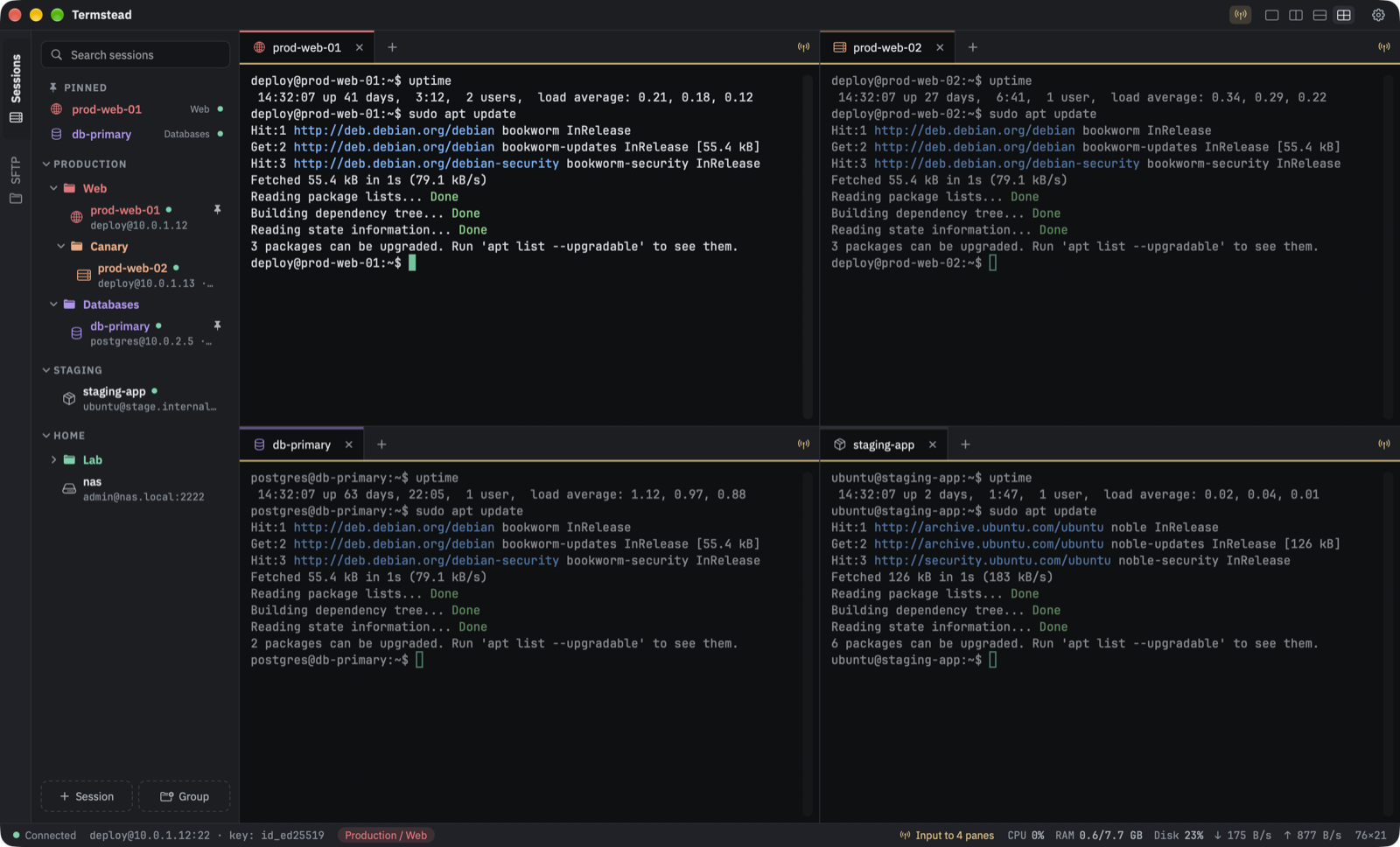 Every pane has its own tabs
Typed once, sent to all four
Load of the server in focus
Every pane has its own tabs
Typed once, sent to all four
Load of the server in focus
SFTP
Files, right next to the shell.
The SFTP tab rides the terminal’s own connection, so it never asks for a password twice — and the sidebar turns to it the moment you’re logged in.
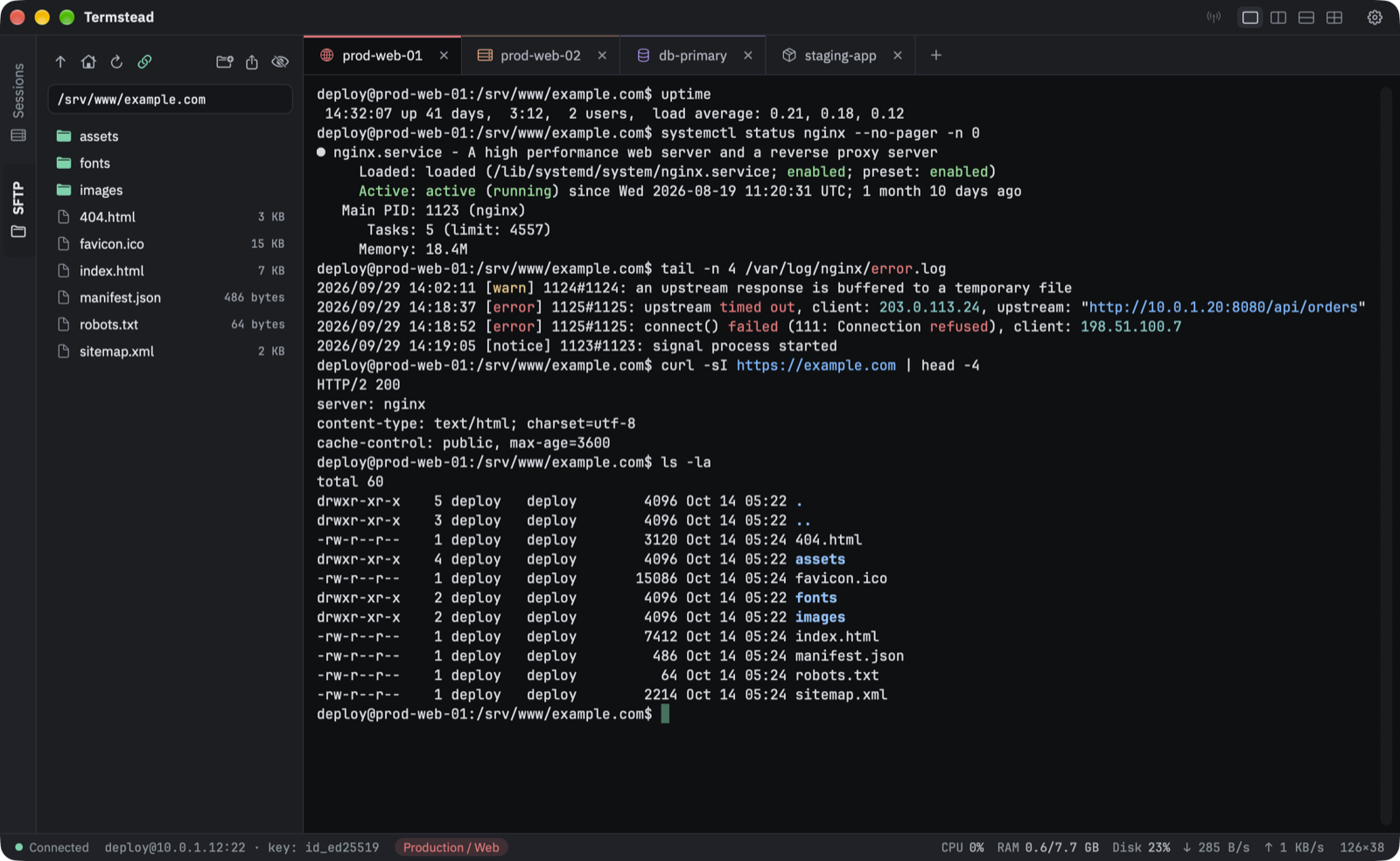 Follows the terminal’s folder
Same connection, no second login
Drag in to upload, out to download
Follows the terminal’s folder
Same connection, no second login
Drag in to upload, out to download
A chain of hops, no config file to edit.
Set up the whole ProxyJump chain in the session form — each hop with its own user, port, key or password. Your own ~/.ssh/config still applies underneath.
Edit remote files in any Mac app.
Open a file from the SFTP tab in the app that owns it. Every time you save, Termstead uploads it again — no copying back and forth.
Picks up where you left off.
Turn on Reopen tabs at launch, and the tabs open when you quit connect again the next time Termstead starts — each in the pane it was in.
Closed tabs keep their output.
A dropped connection leaves the scrollback where it was, and its tab’s icon is struck through. Press Return in the tab, or choose Reconnect from its menu.
Text size per tab.
⌘+ and ⌘− zoom the tab in front; ⌘0 puts it back to the size set in Settings.
Under the hood
It’s the real OpenSSH.
Every tab runs the system ssh, so your agent, ~/.ssh/config, known_hosts and ProxyJump work exactly as they do in Terminal.
- 0
Lines of SSH code of its own
Connections, keys, host verification and encryption are all OpenSSH’s, as shipped with macOS.
- 1
Host per saved password
A password is handed to ssh only for the exact user@host it belongs to, and only once — if the server refuses it, you’re asked in the terminal.
- 0
Accounts, analytics, trackers
Sessions are a JSON file in Application Support; each connection’s config is private and deleted when its tab closes.
Keyboard
Your hands stay on the keys.
- ⌘N⇧⌘NNew session / group
- ⌘OConnect
- ⌘KQuick connect
- ⌘ISession settings
- ⌘T⌘WNew / close tab
- ⇧⌘[⇧⌘]Previous / next tab
- ⌘D⇧⌘DSplit side by side / stacked
- ⌘[⌘]Previous / next pane
- ⌥⌘IBroadcast input
- ⌘F⌘G⇧⌘GFind
- ⌘+⌘−⌘0Text size
- ⌘,Settings
Get Termstead.
Free, open source, and set up in a minute.
brew install --cask pkhorenyan/tap/termstead
macOS 14 Sonoma or laterApple silicon & IntelSigned and notarizedUpdates itself, every update verified